Introduction
Artificial intelligence tools are now embedded inside everyday work across engineering teams, customer support, marketing operations, and internal analytics environments. Employees interact with generative models through browsers, APIs, embedded copilots, and automation agents, while organizations deploy machine learning systems across infrastructure that previously handled conventional applications. The result is a larger and more dynamic security surface that extends from individual endpoints to browser sessions, SaaS platforms, and the network infrastructure connecting them.
Security exposure appears in places that traditional controls were not designed to observe. Prompts sent to large language models may include proprietary information. Browser sessions interacting with AI tools may copy or upload sensitive data. Endpoint activity can trigger malicious code execution or credential theft through AI-assisted phishing. Infrastructure-level traffic may route model outputs or sensitive prompts across networks that were never monitored for that kind of data movement.
Vendor messaging around "AI security" often sounds similar because each platform describes the protection of AI-driven workflows and modern cloud environments. In practice, those claims refer to different control layers across the enterprise security stack. Some tools observe activity on endpoints and servers, others monitor browser sessions and SaaS interactions, while others operate at the network or infrastructure layer. Selecting the wrong layer does not simply create a feature gap; it creates blind spots in the places where AI activity actually occurs.
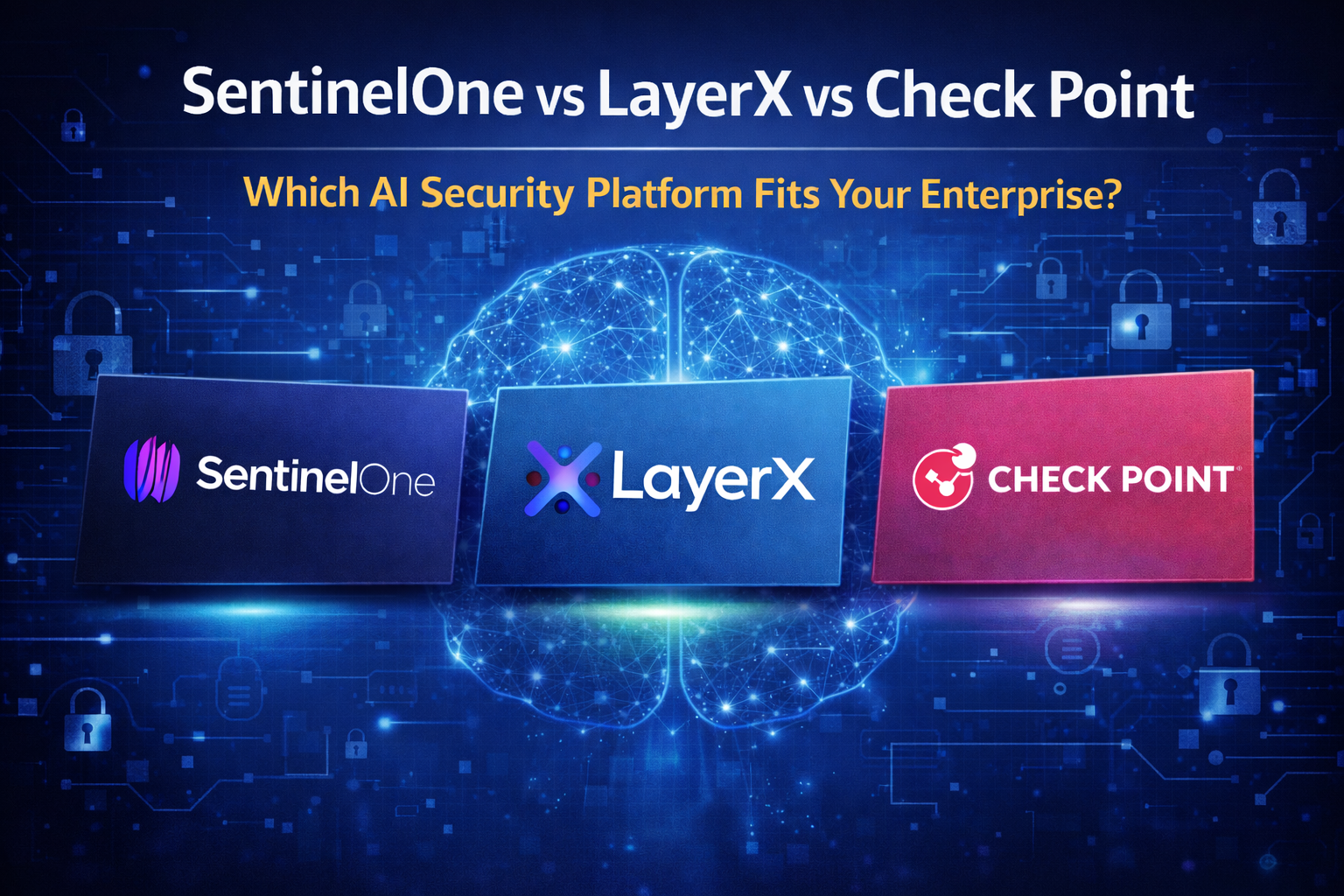
SentinelOne represents the endpoint and host security layer, focusing on visibility and response across laptops, servers, and workloads. LayerX Security focuses on the browser and SaaS session layer where employees interact with generative AI tools and cloud platforms. Check Point represents the infrastructure and network layer, securing traffic flows, gateways, and cloud connectivity across enterprise environments. Each platform addresses AI-related risk from a different architectural position.
This article compares the three vendors across capability boundaries, deployment realities, integration ecosystems, customer adoption patterns, and real-world decision scenarios. The goal is structural clarity. Security leaders evaluating AI security platforms must understand where each tool operates in the security architecture and which organizational pressures activate its strengths.
Key AI Security Terms Explained
Security terminology can become confusing quickly, especially when vendors describe different technologies using similar language. The short definitions below provide a simple reference so readers can understand the architectural layers discussed throughout the rest of this comparison.
Endpoint Security
A guard that watches each computer in a company and keeps it safe from bad programs. In enterprise environments, endpoint security monitors laptops, desktops, and servers to detect malicious behavior, enforce policies, and stop threats directly on devices.
Endpoint Detection and Response (EDR)
A security camera and alarm system for each computer that notices when something suspicious happens. In enterprise environments, EDR platforms collect detailed endpoint activity data, detect threats, and help security teams investigate and contain attacks on devices.
Extended Detection and Response (XDR)
A big control room that connects many alarms from different places into one screen. In enterprise security architecture, XDR correlates signals from endpoints, identity systems, cloud platforms, and networks to detect complex attacks across multiple environments.
Browser Security
A safety guard that watches what happens when someone uses the internet. In enterprise environments, browser security monitors activity inside web browsers to control risky behavior, prevent data exposure, and enforce policies when employees use SaaS platforms or AI tools.
SaaS Session
The time someone stays logged into a website or cloud application. In enterprise systems, a SaaS session represents an authenticated user interaction with a cloud application such as email, CRM platforms, or AI tools where security controls must monitor actions like uploads, downloads, and data sharing.
Generative AI Tools
Computer programs that can write, draw, or answer questions like a robot helper. In enterprise environments, generative AI tools include large language models and AI assistants used for coding, writing, analysis, and automation across internal workflows.
Prompt Injection
Someone tries to trick an AI robot by hiding instructions in a message. In enterprise security terms, prompt injection occurs when attackers manipulate inputs to an AI system to bypass safeguards, retrieve sensitive information, or alter the model's behavior.
Data Leakage
When secret information accidentally escapes where it should stay private. In enterprise environments, data leakage occurs when sensitive information such as intellectual property, credentials, or personal data leaves controlled systems through uploads, prompts, or file transfers.
Threat Telemetry
Footprints that security guards collect to understand what happened. In enterprise security architecture, threat telemetry refers to the logs, signals, and event data collected from devices, applications, and networks that help detect and investigate attacks.
Infrastructure Security
Protection for the roads and buildings that computers use to communicate. In enterprise environments, infrastructure security protects cloud services, networks, gateways, and servers that support applications and data movement.
Network Gateway Security
A checkpoint that watches traffic going in and out of a digital building. In enterprise security architecture, network gateway security inspects and controls network traffic at key entry points such as firewalls, secure web gateways, and cloud network edges.
AI-Generated Malware
Bad software created with the help of artificial intelligence. In enterprise security discussions, AI-generated malware refers to malicious code or attack techniques produced or enhanced using AI tools to evade detection or automate exploitation.
Security Operations Center (SOC)
A team of security guards who watch computer systems all day for danger. In enterprise environments, a Security Operations Center is the centralized team responsible for monitoring alerts, investigating incidents, and coordinating responses to cyber threats across the organization.
Vendor Snapshot Overview
SentinelOne
Founded: 2013
Headquarters: Mountain View, California, United States
Company Size (Reported): LinkedIn band: 1,001–5,000 employees
Funding (Publicly Reported): Public company listed on NASDAQ (ticker: S). Raised significant venture funding prior to IPO.
Primary Positioning: Autonomous endpoint security platform focused on AI-driven threat detection, response automation, and extended detection and response (XDR).
Governance Depth: Limited governance workflows. Platform focuses on operational security and threat response rather than AI governance or model risk management.
Production Monitoring: Monitors endpoint and workload behavior, threat telemetry, and system activity across devices and servers. Does not monitor AI model performance or LLM behavior.
AI Security / Red Teaming: Indirect AI security role. Platform defends against AI-generated malware and automated adversarial activity but does not provide AI model red-teaming or adversarial testing tools.
Privacy Integration: Moderate. Supports enterprise data protection and endpoint monitoring policies, often integrated with identity and security ecosystems.
Compliance Framework Strength: Strong alignment with enterprise security and compliance programs. Commonly deployed in regulated industries.
Analyst Recognition: Regularly evaluated by Gartner, Forrester, and IDC in endpoint detection and response (EDR) and XDR categories.
Integration Ecosystem: Large ecosystem including AWS, Microsoft Azure, Google Cloud, ServiceNow, Splunk, and other SOC and SIEM platforms.
Typical Customer Profile: Large enterprises with distributed endpoints, mature SOC teams, and cloud workloads requiring autonomous threat detection.
Implementation Profile: Cloud-delivered platform deployed via lightweight endpoint agents across laptops, servers, and workloads.
Pricing Transparency: Enterprise quote-based pricing.
LayerX Security
Founded: 2022
Headquarters: Tel Aviv, Israel
Company Size (Reported): LinkedIn band: 51–100 employees
Funding (Publicly Reported): Venture-backed cybersecurity startup. Raised $24M Series A in 2023 with additional investment from global security investors.
Primary Positioning: Browser security platform designed to protect enterprise SaaS usage and generative AI interactions occurring within the browser.
Governance Depth: Governance-adjacent capabilities at the browser layer. Enforces policies around SaaS access and generative AI usage but is not a full AI governance or model lifecycle management platform.
Production Monitoring: Monitors browser sessions, extensions, SaaS interactions, and user activity. Focuses on browser and application activity rather than AI model telemetry.
AI Security / Red Teaming: Secures generative AI usage inside the browser. Focuses on preventing prompt injection, data leakage, credential theft, and unsafe interactions with generative AI tools.
Privacy Integration: Strong. Core functionality includes preventing sensitive data exposure through browser sessions and AI prompt interactions.
Compliance Framework Strength: Supports enterprise data protection policies and SaaS governance programs, particularly in organizations concerned with generative AI data leakage risks.
Analyst Recognition: Emerging vendor in browser security and generative AI protection with limited large-firm analyst coverage.
Integration Ecosystem: Integrates with identity providers and SaaS ecosystems including Microsoft 365, Google Workspace, Okta, and enterprise SSO environments.
Typical Customer Profile: Organizations with large SaaS footprints and employees frequently interacting with generative AI tools.
Implementation Profile: Agentless or lightweight deployment through browser extension or proxy-based architecture.
Pricing Transparency: Enterprise quote-based pricing.
Check Point Software
Founded: 1993
Headquarters: Tel Aviv, Israel
Company Size (Reported): LinkedIn band: 5,001–10,000 employees
Funding (Publicly Reported): Public company listed on NASDAQ (ticker: CHKP).
Primary Positioning: Enterprise cybersecurity platform covering network security, cloud security, endpoint protection, and AI-driven threat prevention.
Governance Depth: Security policy and posture governance capabilities are strong for infrastructure security, but the platform does not provide AI model lifecycle governance tools.
Production Monitoring: Strong monitoring of network traffic, cloud environments, infrastructure telemetry, and threat activity across enterprise systems. Does not monitor AI model behavior directly.
AI Security / Red Teaming: Uses AI-driven threat detection and prevention across network and infrastructure layers but is not designed for AI model red-teaming or adversarial testing.
Privacy Integration: Moderate to strong depending on deployment. Supports enterprise data protection and network inspection policies.
Compliance Framework Strength: Strong alignment with enterprise cybersecurity compliance programs across regulated industries.
Analyst Recognition: Longstanding recognition from Gartner, Forrester, and IDC across network security, firewall, and infrastructure protection categories.
Integration Ecosystem: Broad ecosystem including AWS, Microsoft Azure, Google Cloud, Kubernetes environments, DevOps platforms, and enterprise networking tools.
Typical Customer Profile: Large enterprises, government organizations, and regulated industries requiring infrastructure-level cybersecurity.
Implementation Profile: Deployed through network gateways, cloud security services, and infrastructure security components across hybrid environments.
Pricing Transparency: Enterprise licensing with quote-based pricing.
SentinelOne – Deep Dive
SentinelOne launched in 2013 with a narrow goal: stop malware directly on endpoints without relying on traditional antivirus signatures. Instead of waiting for threat databases to update, the platform was built around behavioral detection that watches how software behaves on a machine. That design choice matters because many modern attacks do not arrive as obvious malware files. They use built-in system tools, scripts, or stolen credentials to operate quietly. Behavioral monitoring lets SentinelOne identify those patterns even when the exact attack has never been seen before.
Headquartered in Mountain View, the company expanded that original endpoint engine into the Singularity Platform, which combines endpoint detection, response automation, and extended telemetry collection. SentinelOne has repeatedly appeared as a Leader in the Gartner Magic Quadrant for Endpoint Protection Platforms, which carries significant weight during enterprise security procurement. In many organizations, analyst validation becomes a practical requirement when security leaders present platform decisions to executives, boards, or risk committees.
SentinelOne’s identity is straightforward: stop attacks where they execute first, on the endpoint.
What SentinelOne Actually Does
SentinelOne focuses on detecting malicious behavior on devices and workloads before the attack spreads across the environment.
Key platform capabilities include:
Behavioral monitoring of processes, memory activity, and system calls
Automated containment that isolates compromised machines from the network
Ransomware rollback that restores files encrypted during an attack
Endpoint telemetry collection used for investigations and threat hunting
Extended detection and response across endpoint, cloud, and identity signals
Threat intelligence integration that enriches investigation workflows
The platform operates through lightweight agents installed on endpoints. These agents continuously analyze process behavior, registry changes, and memory activity. When the system detects suspicious behavior such as privilege escalation attempts, credential harvesting, or ransomware encryption patterns, SentinelOne can terminate the process and isolate the device automatically.
This approach is particularly useful against fileless attacks, where adversaries use legitimate system tools such as PowerShell to execute malicious actions. Traditional signature-based tools often struggle with these techniques because no identifiable malware file exists.
Implementation Reality
SentinelOne deployments usually begin with endpoint agent rollout across laptops, desktops, and servers. Because the platform is agent-based, implementation largely revolves around device coverage and integration with existing security workflows.
A typical enterprise rollout follows a pattern similar to this:
Weeks 1–2: Pilot deployment on a limited group of devices to validate detection accuracy
Weeks 3–6: Organization-wide agent rollout across endpoints and servers
Weeks 7–10: Alert tuning and integration with SOC investigation workflows
Weeks 10–12: Integration with SIEM, XDR, or threat intelligence systems
Compared with network security infrastructure changes, endpoint deployments tend to move faster. The main operational work usually involves tuning alerts so the security operations center receives actionable signals instead of large volumes of noise.
Pricing
SentinelOne pricing typically follows a per-endpoint subscription model that varies based on platform tier and feature modules.
Common enterprise planning ranges include:
Core endpoint protection: approximately $40–$70 per endpoint annually
Advanced XDR tiers: approximately $70–$120 per endpoint annually
Large enterprises with thousands of endpoints generally negotiate volume discounts. Additional services such as managed detection and response, extended telemetry storage, or threat intelligence integrations can increase overall cost.
Who Uses SentinelOne
SentinelOne is widely deployed across organizations where endpoints represent a primary attack surface.
Typical customers include:
technology companies with large remote workforces
financial institutions protecting sensitive data
healthcare organizations managing thousands of clinical endpoints
enterprises replacing legacy antivirus platforms
Many deployments begin as antivirus replacement projects and later expand into broader detection and response workflows.
Strengths
Strong behavioral detection engine capable of identifying unknown threats
Autonomous response features that isolate compromised endpoints quickly
Ransomware rollback functionality that restores encrypted files
Extensive endpoint telemetry useful for threat hunting and investigations
High market credibility supported by analyst recognition
Weaknesses
Requires endpoint agents to operate effectively
Limited visibility into SaaS activity inside browser sessions
Network-layer traffic inspection requires separate tools
Endpoint telemetry can require tuning to avoid alert fatigue
When SentinelOne Makes Sense
SentinelOne is most effective in environments where attacks are likely to begin on employee devices or servers. Phishing attachments, malicious downloads, and credential-based endpoint compromises remain some of the most common entry points attackers use to gain initial access.
In these situations, detecting malicious behavior directly on the device can stop the attack before it spreads further into the environment. If ransomware, fileless malware, or suspicious process activity is the primary concern, endpoint behavioral detection becomes one of the fastest ways to contain the threat.
SentinelOne is less suited as a standalone platform for monitoring SaaS activity or inspecting network infrastructure traffic. Those risks typically occur in different layers of the environment. Organizations that need visibility into browser-based workflows or network gateway traffic often deploy complementary security platforms alongside endpoint protection tools like SentinelOne to cover those additional attack surfaces.
LayerX Security – Deep Dive
LayerX Security emerged as organizations shifted daily work into web browsers. In many companies the browser has become the primary workspace where employees access SaaS platforms, dashboards, collaboration tools, and generative AI systems. For many organizations the browser is now the primary workspace. SaaS platforms, internal dashboards, collaboration tools, and generative AI systems are accessed through browser sessions rather than installed software. As work moved into the browser, a visibility gap appeared in many security architectures.
Endpoint tools can observe processes running on a device. Network controls can inspect traffic moving to cloud services. Neither layer explains what actually occurs inside a legitimate SaaS session. Security teams often cannot determine whether a user uploaded a sensitive file to an external service, granted OAuth permissions to an unknown application, or copied internal information into a generative AI prompt. These actions occur inside normal browser workflows and frequently appear legitimate from both an endpoint and network perspective.
LayerX built its platform around this operational gap. The company treats the browser as its own control surface with dedicated telemetry and policy logic that focuses specifically on SaaS session activity. The platform observes and controls activity inside SaaS sessions and browser workflows, tracking how users interact with cloud applications and corporate data.
This positioning also defines the platform’s boundaries. LayerX operates alongside endpoint protection and network security. Its purpose is to provide visibility and control over browser-based SaaS activity where employees, cloud applications, and sensitive data interact.
What LayerX Actually Does
LayerX monitors and controls activity inside browser sessions where employees interact with SaaS platforms, collaboration tools, and generative AI systems.
Core capabilities include:
Monitoring browser sessions across SaaS applications
Detecting risky user behavior inside legitimate web sessions
Preventing data leakage during uploads, downloads, and copy actions
Monitoring generative AI usage across tools such as ChatGPT or Copilot
Detecting malicious or risky browser extensions
Discovering unsanctioned SaaS applications used by employees
LayerX analyzes risky business activity occurring inside trusted browser sessions where everyday employee workflows interact with SaaS applications and corporate data.
Several common situations illustrate the problem this layer addresses. A developer pastes proprietary source code into an AI assistant to accelerate debugging. A finance employee downloads a large dataset from a SaaS repository to work offline. A user grants OAuth access to a third-party application that silently gains access to mailbox or storage data. These actions may appear legitimate at first glance, yet each can create real exposure.
Modern incidents increasingly begin with these patterns. Data leakage, SaaS misuse, OAuth abuse, and shadow AI adoption often occur inside legitimate workflows. Because the activity takes place within approved applications, traditional malware detection rarely triggers alerts. LayerX attempts to surface and govern these behaviors before they escalate into broader security incidents.
The platform has clear limits. Endpoint detection and response, network gateway inspection, and AI governance systems remain necessary parts of the broader security stack. Its role centers on the browser interaction layer where users operate inside SaaS applications.
Implementation Reality
LayerX deployments generally move faster than infrastructure security projects because they do not require network redesign or appliance deployment. Even so, implementation involves more than installing a browser extension. The real work lies in understanding how employees use SaaS applications and deciding where policy enforcement should begin.
A typical enterprise rollout looks like this:
Weeks 1–2: Pilot deployment and SaaS discovery
Weeks 3–4: Baseline monitoring of browser activity and AI tool usage
Weeks 5–6: Policy configuration for uploads, downloads, OAuth permissions, and risky destinations
Weeks 7–8: Alert tuning and integration with security operations workflows
Weeks 8+: Gradual expansion of enforcement across departments or higher‑risk SaaS environments
Most organizations begin with monitoring rather than immediate enforcement. Browser workflows contain many legitimate edge cases and unusual collaboration patterns. Blocking uploads or restricting SaaS actions too early can disrupt productivity. Security teams usually need time to observe normal collaboration patterns before deciding which actions represent genuine risk.
Ownership of browser-layer security can also span multiple teams. Security operations typically manages alerts and investigations. Identity teams often care about OAuth abuse and session misuse. IT controls browser deployment standards, while data security teams influence policy decisions around uploads and generative AI usage. Technical deployment may be relatively quick, but operational alignment determines whether the system becomes useful or noisy.
Pricing
LayerX does not widely publish enterprise pricing. Most organizations encounter the platform through direct sales engagement rather than public rate cards. Pricing is typically based on user count and feature scope.
A common enterprise planning range is roughly:
$10 to $20 per user per month depending on contract scale and enforcement features
Procurement decisions usually hinge less on subscription cost and more on the control gap being addressed. Browser security can appear expensive when compared to a single endpoint feature, yet inexpensive when compared with the operational cost of investigating a SaaS account takeover or a large data exposure event.
The practical question for most organizations is whether existing controls already provide sufficient visibility into browser-based risk. In many SaaS-heavy environments the answer is no.
Who Uses LayerX
LayerX fits organizations where daily work is heavily browser‑based and SaaS usage is widespread.
Typical environments include:
SaaS companies with remote engineering teams
technology firms relying on cloud collaboration tools
consulting organizations managing sensitive client data
companies adopting generative AI tools across departments
enterprises with large SaaS estates and growing concern about OAuth abuse or shadow AI
These environments share a common challenge. Employees perform legitimate work inside browser sessions, yet security teams struggle to detect when those activities cross into exposure.
LayerX provides limited value in environments where the primary security concern involves malware execution on endpoints or lateral movement across infrastructure. In those cases, endpoint or network controls usually take priority.
Strengths
Strong visibility into browser sessions and SaaS workflows
Effective detection of data leakage risks and risky user actions
Useful monitoring of generative AI usage across employees
Faster deployment compared with many infrastructure security platforms
Clear value in SaaS‑heavy environments
Weaknesses
Organizations still deploy endpoint detection and response platforms alongside LayerX to monitor device‑level activity
Limited value outside browser‑based workflows
Requires complementary controls for network and endpoint security
Younger vendor profile may introduce procurement friction
When LayerX Makes Sense
LayerX is most valuable when the organization’s unresolved security questions originate inside browser workflows. Security leaders should consider whether their teams can currently observe events such as employees pasting internal material into AI tools, authorizing unknown SaaS integrations, uploading sensitive files to external services, or granting browser extensions broad access to session data.
When these actions cannot be observed or controlled, the browser becomes a genuine control gap.
This gap appears most often in environments where work is highly cloud-based and SaaS driven. In those environments browser-level misuse can lead to data leakage, SaaS compromise, or identity abuse even while endpoint protection and firewall infrastructure operate correctly. The risk emerges in a layer those tools were not designed to interpret.
For that reason LayerX typically functions as part of a layered security architecture alongside endpoint and network security platforms rather than as a replacement for them.
Check Point Software – Deep Dive
Check Point Software represents a very different security philosophy from browser‑focused vendors like LayerX. The company has spent more than three decades building infrastructure security controls across networks, endpoints, cloud workloads, and security operations environments. Many enterprise security teams already encounter Check Point through firewall deployments, network gateways, or broader threat prevention platforms.
That history shapes how the company approaches modern threats. Check Point treats attacks as campaigns that move across multiple layers of infrastructure rather than isolated device events. Initial access may begin with phishing, credential theft, or malware delivery. Attackers then expand their presence through lateral movement, privilege escalation, and command‑and‑control communication. A single control surface rarely provides enough visibility to understand the full attack chain.
The company built its Infinity architecture around this multi‑layer problem. Infinity connects network gateways, endpoint agents, cloud workload protection, email security, and threat intelligence feeds into a shared detection and response environment. Security teams can view alerts, correlate indicators, and investigate incidents across the entire environment rather than inside a single product console.
Where vendors like SentinelOne emphasize autonomous endpoint detection and response, Check Point focuses on coordinated threat prevention across infrastructure layers. The platform attempts to stop attacks before they reach endpoints through gateway inspection, sandboxing, and threat intelligence, while still maintaining endpoint visibility for threats that bypass earlier defenses.
What Check Point Actually Does
Check Point operates as a broad infrastructure security platform designed to prevent, detect, and respond to attacks across networks, endpoints, cloud environments, and email systems.
Core capabilities include:
Next‑generation firewall and network gateway security
Threat prevention using sandboxing and threat intelligence feeds
Endpoint protection and endpoint detection and response
Cloud workload protection for AWS, Azure, and container environments
Email security and phishing protection
Centralized security operations through the Infinity platform
One of the defining characteristics of Check Point is its emphasis on threat prevention rather than only post‑incident detection. Gateway inspection engines analyze files, URLs, and network traffic before they reach internal systems. Suspicious files can be detonated inside sandbox environments where behavior is analyzed before allowing delivery to users.
This approach attempts to disrupt attack chains early. Many enterprise breaches begin with phishing emails that deliver malicious attachments or links. If the attachment is identified as malware during sandbox analysis or the link resolves to a known malicious infrastructure domain, the attack can be blocked before it reaches the endpoint layer.
Check Point also maintains one of the largest commercial threat intelligence databases through its ThreatCloud platform. This intelligence feeds into gateway inspection engines and endpoint agents, helping identify known malware signatures, malicious IP addresses, and suspicious behavioral indicators across environments.
Implementation Reality
Check Point deployments vary widely depending on which parts of the platform an organization adopts. Some companies use only network firewalls, while others deploy the full Infinity architecture across endpoints, cloud workloads, and security operations environments.
A typical enterprise rollout that expands beyond network gateways often resembles the following timeline:
Weeks 1–3: Infrastructure assessment and gateway configuration
Weeks 4–8: Endpoint agent rollout and threat prevention policy tuning
Weeks 9–12: Integration with cloud workloads and identity infrastructure
Weeks 13+: Security operations integration and incident response workflows
Network‑centric security platforms require careful configuration. Firewall rules, traffic inspection policies, and sandboxing thresholds must be tuned to avoid interrupting legitimate application traffic. Large organizations often spend significant time modeling normal network behavior before enforcing stricter controls.
Operational ownership typically spans several teams. Network security engineers manage gateway infrastructure. Endpoint security teams oversee device agents. Security operations centers investigate alerts and coordinate response actions. Because the platform spans multiple infrastructure layers, coordination between these teams becomes a critical part of deployment success.
Pricing
Check Point pricing varies widely because the platform consists of multiple security products that can be deployed independently or together. Network gateways, endpoint agents, email security modules, and cloud protection capabilities are usually licensed separately.
For many organizations pricing combines several elements:
Hardware or virtual gateway licensing
Endpoint security subscriptions
Cloud workload protection modules
Threat intelligence and prevention services
Large enterprise deployments frequently reach six‑figure annual spending levels once gateway hardware, endpoint licensing, and threat prevention services are combined. Smaller organizations using limited gateway deployments may operate with significantly lower costs.
Procurement decisions therefore revolve less around the price of a single feature and more around whether the organization intends to standardize on a single security vendor across infrastructure layers.
Who Uses Check Point
Check Point commonly appears in environments where network security remains a central operational concern.
Typical environments include:
large enterprises with complex network infrastructure
financial institutions requiring strong gateway inspection
government agencies with strict network segmentation requirements
global organizations operating hybrid cloud and on‑premise environments
security teams prioritizing threat prevention at network boundaries
These environments often manage large volumes of external traffic and sensitive internal systems. Gateway inspection and network segmentation play a central role in their defensive strategy.
Check Point provides less value in organizations that operate primarily in SaaS environments with minimal internal network infrastructure. In those environments browser‑layer or identity‑centric controls often become higher priorities.
Strengths
Strong network gateway security and threat prevention capabilities
Extensive threat intelligence through the ThreatCloud platform
Broad coverage across network, endpoint, cloud, and email layers
Mature enterprise vendor with decades of operational history
Unified visibility across multiple security controls through Infinity
Weaknesses
Complex deployments when multiple infrastructure layers are enabled
Security teams must coordinate across network, endpoint, and SOC teams
Infrastructure‑focused architecture may feel heavy for SaaS‑first companies
Hardware gateway components can increase operational overhead
When Check Point Makes Sense
Check Point fits organizations whose primary risk exposure originates in network infrastructure and hybrid cloud environments. Security teams responsible for large internal networks often need strong perimeter inspection, segmentation controls, and threat intelligence feeds capable of blocking malicious traffic before it reaches internal systems.
These requirements appear frequently in regulated industries, global enterprises, and organizations operating a mix of on‑premise infrastructure and cloud workloads. In those environments network traffic inspection and threat prevention remain central components of defensive strategy.
The platform becomes less relevant in companies where most business activity occurs inside SaaS platforms and browser sessions rather than internal infrastructure. In those environments browser‑level security, identity protection, and SaaS monitoring typically receive greater operational focus.
Category‑by‑Category Comparison
This section answers the questions security buyers ask during real procurement evaluations. Each category isolates a specific operational problem organizations face when defending modern environments.
Scoring key: ✓✓✓ category leader | ✓✓ strong | ✓ capable | ✗ limited coverage
Who detects threats first inside an endpoint compromise
Endpoint visibility determines how quickly security teams can identify malware execution, privilege escalation, or suspicious processes running on devices.
Behavioral endpoint detection:
SentinelOne: ✓✓✓ (kernel‑level behavioral AI monitoring processes, memory activity, and fileless attacks)
LayerX: ✗ (no endpoint telemetry)
Check Point: ✓✓ (endpoint protection available but historically secondary to network stack)
Autonomous remediation on devices:
SentinelOne: ✓✓✓ (automated remediation and ransomware rollback capabilities)
LayerX: ✗
Check Point: ✓ (remediation through endpoint modules but less automation depth)
Winner: SentinelOne
Concrete example: A phishing email delivers ransomware through a malicious attachment. SentinelOne detects the encryption behavior directly on the device and stops the process. LayerX sees nothing because the attack does not occur in a browser session. Check Point may detect the file earlier at the gateway, but if the file reaches the device, endpoint behavior detection becomes the last line of defense.
When this matters: healthcare systems, universities, law firms, and financial services organizations where thousands of employee laptops connect from outside the corporate network.
Decision guidance: Choose SentinelOne when endpoint compromise is the primary operational risk. Choose LayerX when the main gap is visibility into browser and SaaS activity. Choose Check Point when protecting network infrastructure and hybrid environments is the dominant concern.
Who understands risky activity happening inside the browser and SaaS tools
Modern breaches increasingly occur inside legitimate cloud sessions rather than through traditional malware. Browser‑level monitoring determines whether organizations can see risky behavior inside applications employees already trust.
Browser session visibility:
LayerX: ✓✓✓ (designed specifically for SaaS and browser activity monitoring)
SentinelOne: ✓ (limited visibility through endpoint telemetry)
Check Point: ✓ (network layer may see traffic but lacks detailed session behavior insight)
SaaS interaction analysis:
LayerX: ✓✓✓ (detects risky actions such as mass downloads, account takeovers, and prompt injection attempts)
SentinelOne: ✓
Check Point: ✓
Control over browser activity:
LayerX: ✓✓✓
SentinelOne: ✓
Check Point: ✓
Winner: LayerX
Concrete example: An attacker steals an employee’s Google Workspace session token and begins downloading hundreds of documents from Google Drive. LayerX detects the abnormal download pattern inside the browser session. SentinelOne sees no malware on the endpoint because none was used. Check Point may observe traffic leaving the network but cannot distinguish legitimate downloads from large‑scale data exfiltration within the SaaS session.
When this matters: SaaS‑first companies, professional services firms, marketing agencies, and media organizations where most work occurs inside browser‑based applications.
Decision guidance: Choose LayerX when the primary gap is visibility into browser activity and SaaS workflows. Choose SentinelOne when device‑level compromise detection is the dominant concern. Choose Check Point when network infrastructure and traffic inspection remain the central security control.
Who prevents attacks earlier in the network infrastructure
Many organizations attempt to block attacks before they reach user devices. Network‑layer inspection and gateway security determine how effectively companies stop malicious traffic at the perimeter.
Network gateway inspection:
Check Point: ✓✓✓ (long history in firewall and gateway security)
SentinelOne: ✓
LayerX: ✗
Threat prevention at network edge:
Check Point: ✓✓✓ (sandboxing, threat intelligence, traffic inspection)
SentinelOne: ✓
LayerX: ✗
Infrastructure‑wide visibility:
Check Point: ✓✓✓
SentinelOne: ✓✓
LayerX: ✓
Winner: Check Point
Concrete example: A phishing campaign distributes malware attachments across thousands of emails. Check Point detonates the attachment in a sandbox at the network gateway and blocks it before employees download it. SentinelOne only detects the attack if the file executes on the device. LayerX sees nothing because the attack never occurs inside a browser SaaS session.
When this matters: banks, government agencies, manufacturing companies, and global enterprises operating hybrid on‑premise and cloud infrastructure.
Decision guidance: Choose Check Point when network gateway protection and infrastructure visibility are the dominant priorities. Choose SentinelOne when endpoint compromise detection is the primary concern. Choose LayerX when browser‑level activity inside SaaS applications is the security blind spot.
Who provides the clearest picture when an attack crosses multiple layers
Modern attacks rarely occur through a single technique. Visibility across the attack chain determines whether security teams understand how incidents evolve.
Endpoint attack visibility:
SentinelOne: ✓✓✓
LayerX: ✓
Check Point: ✓✓
Browser and SaaS visibility:
LayerX: ✓✓✓
SentinelOne: ✓
Check Point: ✓
Network infrastructure visibility:
Check Point: ✓✓✓
SentinelOne: ✓✓
LayerX: ✓
Winner: context dependent
Concrete example: An attacker steals credentials through phishing, logs into a SaaS platform through the browser, then deploys malware on a workstation and communicates with a command‑and‑control server. SentinelOne detects the malware activity on the device. LayerX detects suspicious activity inside the SaaS account. Check Point identifies the outbound connection to command‑and‑control infrastructure.
When this matters: large enterprises, technology companies, and financial institutions running mature security operations centers.
Decision guidance: Choose SentinelOne when endpoint telemetry is the most critical signal. Choose LayerX when SaaS and browser visibility are the primary gaps. Choose Check Point when infrastructure‑level threat intelligence and network inspection provide the strongest defensive layer.
Who deploys fastest inside an existing environment
Implementation complexity determines how quickly security teams gain operational visibility.
Endpoint deployment speed:
SentinelOne: ✓✓✓ (lightweight agent rollout across devices)
LayerX: ✓✓ (browser extensions or session monitoring deployment)
Check Point: ✓ (network infrastructure configuration required)
Infrastructure configuration requirements:
SentinelOne: ✓✓✓ (minimal infrastructure dependency)
LayerX: ✓✓
Check Point: ✓ (gateway and network rule configuration required)
Winner: SentinelOne
Concrete example: A company replacing legacy antivirus needs immediate endpoint protection after a ransomware incident. SentinelOne can deploy agents across devices within days. LayerX provides visibility into browser sessions but does not address the device compromise that triggered the incident. Check Point requires infrastructure configuration before delivering comparable coverage.
When this matters: mid‑size businesses, healthcare providers, retail companies, and organizations responding to active security incidents.
Decision guidance: Choose SentinelOne when rapid endpoint deployment is required. Choose LayerX when the main visibility gap occurs in browser‑based SaaS workflows. Choose Check Point when the organization is investing in long‑term infrastructure security architecture.
Who fits different organizational architectures
Security tools perform differently depending on how companies operate their infrastructure.
SaaS‑first organizations:
LayerX: ✓✓✓
SentinelOne: ✓✓
Check Point: ✓
Hybrid infrastructure environments:
Check Point: ✓✓✓
SentinelOne: ✓✓
LayerX: ✓
Device‑centric environments:
SentinelOne: ✓✓✓
LayerX: ✓
Check Point: ✓✓
Winner: architecture dependent
When this matters: consulting firms, startups, and media companies operating primarily in SaaS environments; global enterprises running hybrid infrastructure; and organizations managing large fleets of employee devices.
Decision guidance: Choose SentinelOne when endpoint compromise detection drives security strategy. Choose LayerX when SaaS and browser visibility represent the largest security gap. Choose Check Point when protecting network infrastructure and hybrid environments is the dominant concern.
Which Security Platform Should You Choose?
Security platforms rarely get purchased because a team enjoyed a demo. They get purchased because a specific category of incident keeps repeating and nobody can explain why it keeps slipping through the stack. Sometimes that incident is ransomware on employee laptops. Sometimes it is sensitive information leaking through AI prompts or SaaS tools. In other organizations the pattern shows up as strange outbound network traffic that nobody can confidently classify.
The important detail is that those incidents usually originate in different parts of the environment. Devices, browsers, SaaS applications, and network infrastructure all produce different signals and require different visibility. Security teams that recognize where incidents actually begin tend to choose tools that match that layer. Teams that treat every incident as the same problem often end up buying platforms that solve the last attack but not the next one.
The scenarios below reflect patterns security teams regularly encounter. If one resembles what is happening in your environment, that section usually points toward the security layer that deserves attention first.
Scenario 1: Your IT Team Keeps Getting Ransomware Alerts From Employee Laptops
You should read this if
Employees regularly download files or open email attachments
Your IT team keeps seeing malware alerts on laptops
A ransomware incident has already happened or almost happened
Security teams need rapid containment when devices are compromised
Your situation
Imagine a 1,200‑employee professional services firm, healthcare provider, or law practice where most work happens on employee laptops. Devices connect from offices, homes, airports, and client sites. One employee in accounting opens a malicious attachment disguised as an invoice. Another employee downloads a fake contract document that installs malware in the background. Groups such as LockBit and BlackCat rely heavily on these entry points because mid‑size organizations often lack deep endpoint visibility.
A single infected laptop rarely stays isolated for long. Attackers begin searching shared drives, cached credentials, and accessible servers. In many real incidents attackers quietly copy sensitive data before launching the encryption stage of the attack. The organization then faces a double‑extortion scenario where systems are locked and attackers threaten to release stolen information.
Why this is dangerous if it stays ungoverned
Ransomware spreads quickly when the first compromised device goes unnoticed. Encryption can move through shared folders and mapped drives while employees continue working normally. By the time systems begin failing, the attack already reached multiple endpoints and sometimes servers as well. At that stage recovery becomes slower, more expensive, and far more disruptive.
What it can lead to
Systems and files becoming inaccessible across departments
Emergency rebuilding of devices and restoration from backups
Exposure of customer or employee information
Legal, insurance, and compliance investigations
Operational downtime and reputational damage
🏆 Best fit: SentinelOne
Why SentinelOne fits this situation
SentinelOne focuses on behavioral detection directly on endpoints. Instead of relying only on known malware signatures, the platform watches for suspicious activity such as unusual file encryption patterns or abnormal process behavior. When ransomware begins encrypting files, SentinelOne can interrupt the activity and isolate the device before the attack spreads further across the network.
What you will likely invest
SentinelOne pricing is quote‑based and scales with endpoint count. Mid‑size organizations frequently see estimates around $5–$8 per endpoint per month depending on product tier. A 500‑device environment often falls near the $30k–$60k annual range before enterprise negotiations.
Timeline
Agent deployment across managed devices typically reaches operational coverage within several days to two weeks depending on fleet size and device management tooling.
When LayerX may fit instead
Endpoint protection already exists across devices, yet security teams still cannot see what employees are doing inside browser sessions and SaaS tools where sensitive information is handled.
When Check Point may fit instead
The dominant risk involves infrastructure visibility and network traffic inspection across offices, data centers, and cloud environments.
⚠️ What goes wrong if you choose poorly
Ransomware that reaches endpoints can spread across multiple devices before infrastructure monitoring tools recognize the pattern. Endpoint compromise and network compromise produce very different signals, and security teams need the right telemetry to understand what actually happened.
Scenario 2: Employees Are Copying Company Data Into ChatGPT or AI Tools
You should read this if
Your company uses ChatGPT, Copilot, Gemini, or similar tools
Employees frequently paste internal data into prompts
Security teams worry about information leakage
Daily work happens inside browser‑based SaaS applications
Your situation
Consider a 400‑to‑2,000‑employee marketing agency, technology company, or financial services firm where generative AI tools are already part of everyday workflows. A marketing employee pastes a customer list into ChatGPT to draft campaign messaging. A developer pastes internal source code into an AI assistant while debugging an issue. Situations like this happen constantly because AI tools live directly inside the browser where employees already work.
A well‑known example occurred in 2023 when Samsung engineers uploaded proprietary code into ChatGPT while troubleshooting problems. They were not attempting to leak information. They simply used the fastest tool available to solve their task. Security teams often discover these behaviors long after the fact because traditional monitoring tools rarely observe activity inside browser sessions.
Why this is dangerous if it stays ungoverned
Employees can move sensitive information into AI systems without realizing the data leaves internal security boundaries. Customer lists, product roadmaps, credentials, and source code may enter external services where storage policies differ from corporate governance controls. Once the information leaves the organization through a browser session, tracing its movement becomes extremely difficult.
What it can lead to
Customer or employee data leaving approved systems
Exposure of proprietary intellectual property
Accidental disclosure of credentials or API keys
Compliance obligations under privacy regulations
Sensitive information stored in external AI services
🏆 Best fit: LayerX Security
Why LayerX fits this situation
LayerX focuses on activity inside browser sessions where SaaS and AI tools operate. The platform monitors user interactions with web applications and can identify risky behavior such as copying sensitive information into prompts or downloading large volumes of internal documents. Security teams gain visibility into how employees use cloud services and generative AI tools during daily work.
What you will likely invest
LayerX pricing is quote‑based. Early‑stage security vendors frequently structure pricing around the number of users rather than infrastructure components. Organizations often see annual ranges around $20k–$60k depending on deployment size.
Timeline
Browser‑based deployment methods such as extensions or proxies can provide visibility within one to two weeks without significant infrastructure changes.
When SentinelOne may fit instead
Malware execution on employee devices represents the primary threat rather than information exposure inside browser sessions.
When Check Point may fit instead
Security teams require deeper inspection of network traffic moving across infrastructure and cloud environments.
⚠️ What goes wrong if you choose poorly
Endpoint and network monitoring tools frequently miss activity occurring entirely inside a browser tab. Sensitive information can leave the organization through AI prompts or SaaS uploads while security teams remain unaware.
Scenario 3: Your Security Team Cannot See What Is Happening Across the Network
You should read this if
Your company operates cloud infrastructure and remote offices
Firewalls and traffic monitoring are central to security operations
Security teams need visibility across network paths
Infrastructure security drives most incident investigations
Your situation
Imagine a 3,000‑to‑15,000‑employee enterprise operating across cloud infrastructure, on‑premise data centers, and remote offices. Applications communicate constantly across networks. Security teams occasionally notice unusual outbound traffic patterns but cannot determine whether the traffic represents normal operations or attacker communication.
This pattern frequently appears during command‑and‑control attacks. After gaining access to one system, attackers establish remote connections that allow them to maintain control and move quietly through the environment. The SolarWinds breach demonstrated how attackers can remain inside infrastructure for months when network visibility is limited.
Why this is dangerous if it stays ungoverned
Once attackers establish persistent communication channels, they can explore the environment, locate valuable data, and expand access across systems. Large breaches often occur because attackers remain undetected long enough to map the network and identify sensitive assets.
What it can lead to
Data exfiltration disguised as normal network traffic
Lateral movement between systems
Persistent external control channels
Larger breach scope before containment begins
Lengthy and complex forensic investigations
🏆 Best fit: Check Point
Why Check Point fits this environment
Check Point focuses heavily on gateway inspection and infrastructure visibility. Network traffic entering and leaving the environment passes through inspection engines capable of identifying malicious files, suspicious domains, and known attacker infrastructure. Security teams gain broader insight into how systems communicate across hybrid environments.
What you will likely invest
Check Point deployments typically involve infrastructure licensing and enterprise support agreements. Hybrid environments often budget six‑figure annual spending when gateway hardware, cloud modules, and threat prevention services are included.
Timeline
Network security deployment usually requires policy configuration, traffic analysis, and infrastructure integration. Many organizations spend several weeks or months tuning network rules before full enforcement begins.
When SentinelOne may fit instead
Malware executing directly on employee devices represents the primary attack vector.
When LayerX may fit instead
Security teams lack visibility into user activity occurring inside SaaS platforms and browser sessions.
⚠️ What goes wrong if you choose poorly
Infrastructure attacks can move across systems while device‑level or browser‑level monitoring provides only partial visibility of the incident.
Scenario 4: Your Security Stack Covers Devices But You Cannot See SaaS or Browser Risks
You should read this if
Endpoint protection already runs across company devices
Employees depend heavily on SaaS platforms
Security teams lack visibility inside browser sessions
Your situation
Picture a 500‑to‑3,000‑employee consulting firm, media organization, or software company where endpoint protection is already deployed across devices. Security teams feel confident about malware detection but still lack insight into how employees interact with SaaS platforms such as Google Workspace or Microsoft 365.
OAuth abuse illustrates the problem clearly. Attackers convince employees to approve malicious third‑party applications that inherit access to their accounts. Several real breaches across Microsoft 365 and Google Workspace environments followed this pattern because the attacker never installed malware. They simply gained legitimate account access.
Why this is dangerous if it stays ungoverned
Attackers who control SaaS accounts operate using legitimate credentials. They can read email, download documents, and interact with internal systems while appearing to be the employee. Many security logs treat these actions as normal user behavior, which makes detection difficult.
What it can lead to
Large document downloads from internal drives
Data uploads to attacker‑controlled infrastructure
Business email compromise campaigns
Third‑party apps gaining persistent access to corporate data
Information leakage that becomes difficult to trace
🏆 Best fit: LayerX Security
Why this approach works
Endpoint protection observes device behavior, while browser monitoring observes SaaS sessions and user actions. When both layers exist, security teams gain visibility into two areas that frequently overlap during modern attacks.
What you will likely invest
Organizations often add LayerX alongside existing endpoint tools for $20k–$60k annually depending on user count and policy scope.
Timeline
Browser‑based deployment typically reaches operational monitoring within one to two weeks.
When SentinelOne may fit instead
The organization lacks endpoint protection and requires device‑level detection immediately.
When Check Point may fit instead
Infrastructure visibility and gateway traffic inspection represent the primary security requirement.
⚠️ What goes wrong if you choose poorly
Credential‑based SaaS attacks bypass device‑focused monitoring. Attackers who understand this gap frequently exploit it.
Scenario 5: You Are Trying to Buy One Tool But Incidents Come From Different Directions
You should read this if
Your company has grown faster than the security stack
Incidents originate from multiple attack surfaces
Leadership wants a single platform to solve everything
Your situation
Imagine a 1,000‑to‑5,000‑employee organization operating cloud infrastructure, SaaS platforms, and a distributed workforce. One week the team responds to ransomware on a laptop. Another week analysts investigate an OAuth phishing attack affecting a SaaS account. Shortly afterward they discover outbound traffic that turns out to be a Cobalt Strike beacon maintaining remote access to the environment.
Security leadership asks whether one platform could solve these incidents. The team eventually realizes that the attacks originate in different layers of the environment.
Why this is dangerous if it stays ungoverned
Attackers move across layers. Credential theft leads to SaaS compromise. Device compromise enables lateral movement. Network access enables data exfiltration. Security coverage that focuses on only one layer leaves other attack paths exposed.
What it can lead to
Recurring incidents from uncovered entry points
Investigations that require logs from multiple systems
Security teams chasing symptoms instead of root causes
Leadership losing confidence in security investments
What usually happens when teams pursue a single platform strategy
Security purchases often address the most recent incident. The next attack originates from another layer. Each new incident exposes another blind spot.
Recommended approach
Layered security strategies reflect how attacks actually unfold across environments.
SentinelOne monitors endpoints and device behavior
LayerX Security observes browser sessions and SaaS usage
Check Point inspects network traffic and infrastructure activity
Many mature security programs deploy multiple layers because attacks rarely remain confined to one part of the environment.
What you will likely invest across a layered stack
Organizations deploying coverage across all three layers often invest between $150k and $400k annually depending on scale and licensing structure. Many teams introduce these layers gradually over 12–18 months.
⚠️ What goes wrong if you choose poorly
Security coverage concentrated in one layer leaves other attack paths exposed. Attackers identify those paths quickly.
Quick 60‑Second Decision Path
Frequent ransomware or malware incidents on employee devices → SentinelOne
Sensitive data exposure through AI tools or SaaS platforms → LayerX Security
Network traffic monitoring and infrastructure visibility → Check Point
Device containment during active compromise → SentinelOne
SaaS session visibility and generative AI monitoring → LayerX Security
Gateway inspection and hybrid infrastructure protection → Check Point
Organizations often encounter more than one of these pressures. Security strategies typically evolve by strengthening the layer where incidents already appear while planning coverage for the others.
Procurement Mistakes That Derail Security Platform Deployments
Security platform purchases rarely fail because a vendor lacked a feature or checkbox capability. They fail because teams misunderstand what layer of the environment the product actually protects. Endpoint security (EDR), browser security, and network security solve different operational problems inside the enterprise environment. When procurement teams assume a platform covers more layers than it actually does, the result is delayed projects, unexpected second purchases, and security gaps that surface months after deployment.
Those mistakes carry real cost. Six‑figure platform investments turn into partial deployments. Security teams run parallel investigations across tools that cannot see the same incident. In some cases an attack that one layer could have detected goes unnoticed because the organization deployed visibility in the wrong place.
Before selecting SentinelOne, LayerX Security, or Check Point, security teams should examine several procurement mistakes that repeatedly slow down enterprise security programs.
❌ Mistake 1: Assuming One Security Platform Covers Every Attack Surface
This misunderstanding appears in almost every large security procurement cycle.
SentinelOne protects endpoints. LayerX monitors browser and SaaS activity. Check Point focuses on network and infrastructure traffic. Each platform operates in a different layer of the environment. When buyers assume one product will replace the others, visibility gaps appear immediately.
A mid‑size technology company deploys SentinelOne across 2,000 laptops after experiencing a ransomware scare. The security team believes the new endpoint platform will reduce most security incidents. For several months the environment appears stable. Then an employee account inside Google Drive begins downloading hundreds of internal documents through a compromised browser session. The activity happens entirely inside a legitimate SaaS login.
SentinelOne detects no malware because none exists on the device. Network monitoring tools see large downloads but cannot identify whether the activity represents normal user behavior or data theft. The breach investigation reveals that the missing layer was browser and SaaS visibility.
Six months after the endpoint rollout, the company purchases a separate browser security platform and spends several weeks deploying monitoring that could have been scoped during the original procurement.
What to do instead
Identify where recent incidents actually originate: devices, browsers, or infrastructure
Map which layer each vendor protects before comparing feature lists
Plan coverage across multiple layers instead of expecting a single product to solve every category of threat
❌ Mistake 2: Evaluating Vendors Without Mapping Real Attack Paths
Security teams often evaluate platforms based on feature checklists instead of examining real incident patterns.
During vendor demonstrations, each platform appears capable of stopping modern attacks. Endpoint platforms show malware detection. Browser security tools demonstrate SaaS monitoring. Network vendors present traffic inspection and threat intelligence. Without anchoring the evaluation to real incidents, the selection process becomes abstract.
Consider a professional services firm that experienced a phishing campaign where attackers used OAuth permissions to gain access to Microsoft 365 accounts. Because the attack involved credentials rather than malware, the attacker never installed software on employee devices. Endpoint protection therefore generated no alerts. Network monitoring only observed legitimate login activity.
A browser‑level monitoring tool would have revealed the malicious application approval immediately. When procurement focuses on malware detection rather than SaaS behavior, that distinction becomes easy to miss.
What to do instead
Start the evaluation with the last three to five real incidents your team investigated
Ask vendors to walk through how their platform would have detected those exact events
Document which layer of the environment each incident occurred in before comparing vendors
❌ Mistake 3: Underestimating Integration and Deployment Scope
Security platforms rarely operate in isolation inside modern enterprise stacks. They must integrate with identity systems, device management tools, logging pipelines, and incident response workflows.
Endpoint deployments such as SentinelOne require agent rollout across every managed device. Browser security tools such as LayerX often rely on browser extensions, identity integrations, or secure proxies to observe SaaS sessions. Network platforms like Check Point involve deeper infrastructure work including firewall policy design, gateway configuration, cloud connector setup, and log pipeline integration into SIEM systems.
A retail company deploys a Check Point platform expecting immediate visibility across its hybrid infrastructure. During implementation the security team discovers that multiple technical steps must occur before meaningful monitoring begins. Network traffic must be routed through inspection gateways. Firewall policies must be rewritten and tested. Cloud environments require connector deployment. Log pipelines must be configured to send telemetry into the company’s SIEM.
Those activities require weeks of coordination between network engineers, security analysts, and infrastructure teams. None of those steps were included in the initial procurement timeline.
What to do instead
Ask the vendor for a full deployment architecture diagram during procurement
Request a week‑by‑week implementation timeline from the vendor’s services team
Ask which infrastructure changes must occur before security visibility becomes operational
Speak with reference customers who deployed the platform in similar network environments
❌ Mistake 4: Choosing Based on Category Reputation Instead of Operational Fit
Security platforms often carry strong reputations in their categories through analyst coverage, market share, or industry reports. That recognition can simplify executive conversations but does not guarantee operational alignment.
A financial services firm selects a highly recognized endpoint vendor because industry reports emphasize strong malware detection. The purchase receives rapid approval from leadership because the vendor appears frequently in analyst rankings.
Six months later the company experiences a data exposure incident. An attacker gains access to an employee’s Google Workspace account using stolen credentials and downloads hundreds of sensitive documents. Because the attack occurred inside a browser session rather than on the endpoint itself, the security team has no visibility into the activity until after the data has already left the environment.
The investigation concludes that endpoint protection was functioning correctly. The security gap existed in SaaS session monitoring. The organization ultimately purchases a browser security platform to close the visibility gap while explaining to leadership why the first purchase did not address the incident they just experienced.
What to do instead
Identify where investigations actually occur when incidents happen
Document whether those investigations rely on device telemetry, browser activity, or network traffic
Evaluate vendors based on the layer where your incidents consistently originate
❌ Mistake 5: Evaluating Platforms During Calm Periods Instead of Against Recent Incidents
Security vendor evaluations often happen during relatively calm periods when no major incidents are active. During those moments, product demonstrations feel compelling because every platform appears capable of stopping theoretical attacks.
The problem becomes visible after deployment. The security team eventually faces the same incident patterns that existed before the procurement cycle began. A company that experienced SaaS credential abuse continues seeing SaaS incidents. An organization that struggled with endpoint ransomware continues fighting malware infections.
The platform itself may function exactly as designed. The evaluation simply did not reflect the threats the organization was already experiencing.
What to do instead
Anchor vendor evaluations to the last three major security incidents
Ask vendors to demonstrate how their platform would have detected those events
Evaluate detection visibility across the specific layers where your incidents occurred
❌ Mistake 6: Buying Technology Before Assigning Operational Ownership
Security tools generate alerts, dashboards, and investigation workflows that require active review by analysts. Those signals require clear ownership inside the organization.
Endpoint platforms require analysts who review device alerts and respond to containment events. Browser monitoring tools require teams responsible for investigating suspicious SaaS activity. Network platforms produce traffic alerts that demand infrastructure expertise.
When organizations deploy security platforms without assigning operational responsibility, alerts accumulate without action. Alerts enter queues that nobody regularly monitors. Automated containment requests remain unapproved for hours. Analysts assume another team owns the alert stream. Eventually an incident appears that the platform technically could have detected, yet the signal sat unnoticed because nobody was responsible for reviewing the alerts. Over time the platform that cost six figures becomes a dashboard that few people open during daily operations.
What to do instead
Assign explicit operational owners to endpoint, browser, and network alerts
Define escalation paths before deployment begins
Confirm investigation teams understand how to triage alerts produced by the platform
❌ Mistake 7: Treating Security Deployment as a One‑Time Project
Security environments evolve continuously as organizations adopt new SaaS tools, infrastructure services, and employee workflows. SaaS adoption expands. Cloud infrastructure grows. Employees introduce new collaboration tools into daily work.
Consider a software company that deploys LayerX to monitor activity across Google Workspace and Slack. During the first year the platform covers most of the organization’s SaaS activity. Over the next twelve months the company adopts additional collaboration tools including Notion, Figma, and several project‑management platforms. Those services become central to daily work, yet security policies were never expanded to include them.
An incident eventually appears in one of those newly adopted tools when a compromised account downloads internal documents. The investigation reveals that monitoring coverage still reflected the environment that existed during the original deployment rather than the environment the company operates today.
Security drift often develops quietly. Monitoring coverage gradually diverges from real employee workflows. The gap usually becomes visible only after an incident reveals it.
What to do instead
Schedule periodic reviews of where security incidents originate
Reevaluate monitoring coverage when new SaaS platforms or infrastructure appear
Update endpoint, browser, and network visibility as the environment evolves
Our Take
AI Security Take
Generative AI is making an old security problem harder to ignore. Employees now move sensitive work through browser sessions, SaaS applications, copilots, and external AI tools at a speed most security teams were not built to monitor. Traditional endpoint telemetry often sees very little of that activity. At the same time, attackers still use familiar methods such as endpoint malware, stolen credentials, and infrastructure persistence through tools like Cobalt Strike. The result is operational pressure in multiple layers at once.
That pressure explains why this comparison matters. SentinelOne, LayerX Security, and Check Point are not solving the same problem from different angles. They are observing different parts of the attack path. SentinelOne focuses on endpoint behavior and device compromise through EDR telemetry. LayerX focuses on browser sessions where SaaS activity, OAuth abuse, and AI-driven data exposure often occur. Check Point focuses on network traffic and infrastructure paths where delivery, lateral movement, and command-and-control communication become visible.
Procurement usually gets messy when teams flatten those layers into one buying category. A platform with strong endpoint coverage does not automatically explain browser abuse. Browser monitoring does not provide the same visibility into infrastructure traffic. Network inspection does not tell a security team what a user actually did inside a SaaS session. The mistakes earlier in this article all come back to that same operational failure: buying visibility in one layer while the recurring incident lives in another.
The useful way to think about AI security is by attack sequence, not by vendor category. Ask where the last three incidents actually began. Did the problem start on the device, inside the browser, or across the network path? Teams that can answer that question usually make cleaner decisions, spend less time buying corrective tools six months later, and build security coverage that matches how their environment really operates.